
The Complete Guide
TikTok Video Download — What, How, Why & Everything In Between
A practical, plain-English guide to downloading TikTok videos in HD MP4, converting them to MP3 audio, saving photo slideshows, and doing it all safely — without watermark, no app, and no signup.
What is a TikTok video downloader?
A TikTok video downloader (also known as a TikTok saver, TT downloader, or musically downloader) is a web-based tool that takes a public TikTok link and extracts the underlying MP4 video file, MP3 audio track, or high-resolution JPG images. Unlike screen recording — which produces cropped, low-quality clips with UI overlays — a proper TikTok to MP4 converter fetches the original media directly from ByteDance CDN servers, delivering the exact 1080p Full HD video the creator uploaded, completely without watermark.
Tok Vido is a browser-based TikTok downloader without watermark that works seamlessly on Android, iPhone (iOS), Windows, macOS, Linux, and Chromebook. It supports all standard TikTok link formats: tiktok.com/@user/video/..., short links from vm.tiktok.com and vt.tiktok.com, Douyin URLs, and links copied directly from the TikTok mobile app.
How to download TikTok videos (step-by-step)
The TikTok download process is simple and fast — three steps, no account required, and 100% free:
- Copy the TikTok video link. In the TikTok app tap Share → Copy link, or on desktop click the browser address bar of a video page and copy the full URL.
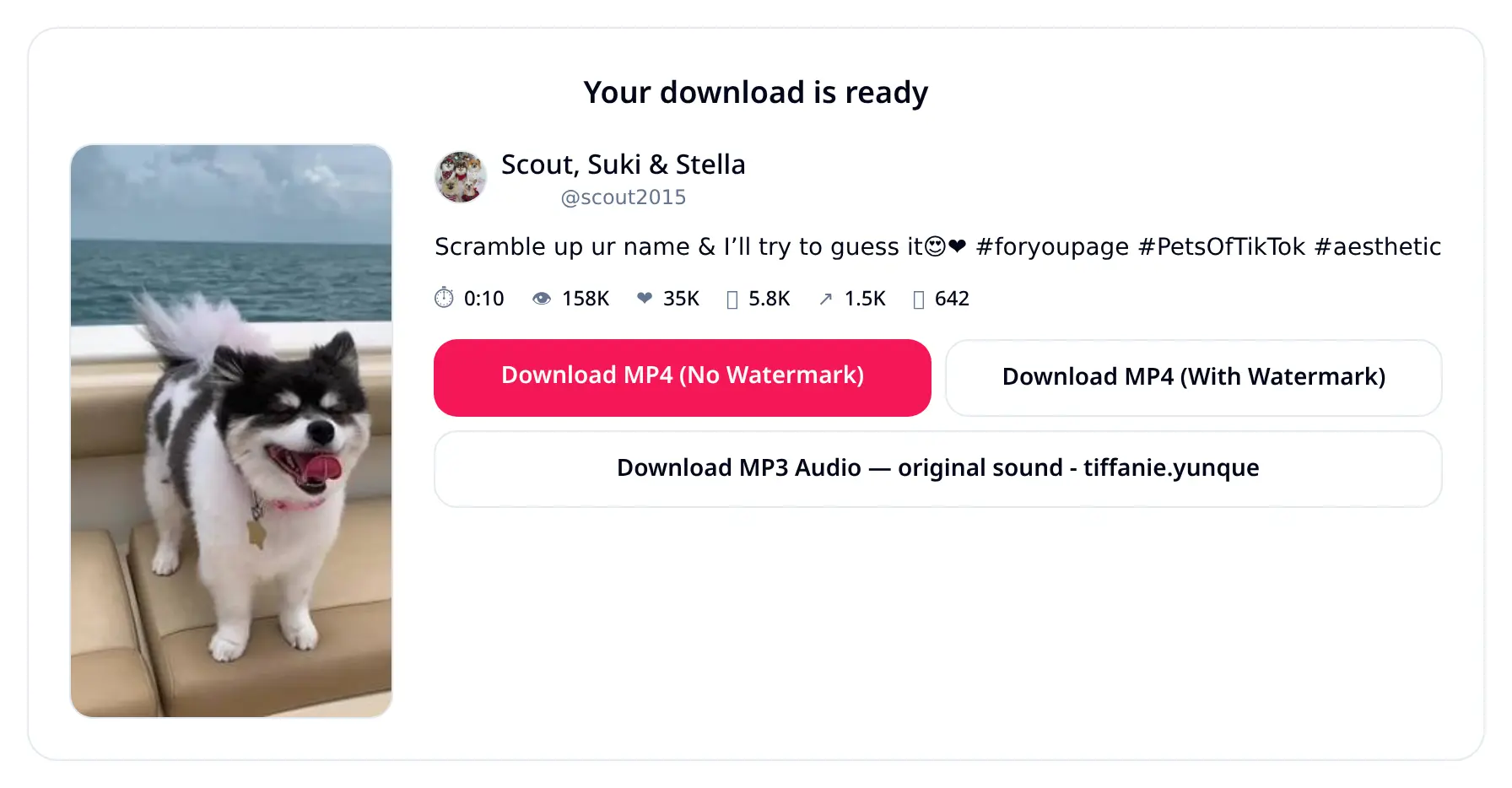
- Paste the URL into Tok Vido. The downloader auto-detects the link and retrieves the video metadata — thumbnail preview, creator @username, caption, duration, and metrics.
- Choose your format and save. Select Download HD MP4 without watermark, the original watermarked file, or extract the high-quality MP3 audio.
For TikTok photo slideshows and carousel posts, Tok Vido delivers each slide as a full-resolution JPG image plus the background music as an MP3 file.
Downloading on mobile (iPhone & Android)
On iOS Safari, downloads route through the Files app into Downloads, then save directly to Photos. On Android Chrome, MP4 and MP3 files save straight to your Downloads folder and Gallery. No third-party TikTok downloader app or APK installation is required.
How to Use TikTok Downloader on Mobile Phones (Android)
Android users can save clips in two simple steps without installing APKs. Open the TikTok app, tap Share → Copy Link, paste the link into Tok Vido inside Google Chrome or any mobile browser, and tap Download. Your watermark-free MP4 video or MP3 audio file lands directly in your device's Downloads folder and Gallery.
Does TikTok Downloader Support iPhone & iPad (iOS)?
Yes, Tok Vido runs seamlessly in Apple Safari and Chrome on iOS. Just copy the TikTok video link, paste it into our web downloader, and tap Download Without Watermark. The video saves into the iOS Files app (Downloads) and can be transferred to your Camera Roll / Photos with a single tap on 'Save Video'.
TikTok Downloader for PC, Mac & Laptop
Download TikTok videos in original 1080p Full HD without watermarks on Windows, macOS, and Linux computers with zero software installation. Simply copy the TikTok URL from your browser's address bar, paste it into Tok Vido, and click Download to save the MP4 video or extract MP3 audio immediately.
Pro Tips for Using TikTok Downloader Services
- Bookmark Tok Vido: Save Tok Vido to your browser bookmarks or mobile home screen for one-tap video downloads anytime.
- Watermark-Free Repurposing: Always select Without Watermark when reposting your TikTok clips to Instagram Reels, YouTube Shorts, or Pinterest.
- MP3 Audio Extraction: Use the dedicated Download MP3 button to extract high-bitrate background songs, sounds, and voiceovers.
- Photo Slideshows & Carousels: For TikTok image posts, Tok Vido automatically separates all HD JPG photos and packs the background soundtrack.
Why download TikTok videos?
Users search for how to save TikTok videos and download TikTok without watermark for many legitimate purposes:
- Offline viewing — save favorite clips for travel, flights, commutes, or areas with spotty Wi-Fi.
- Content repurposing — creators cross-post their own clips to Instagram Reels, YouTube Shorts, and Facebook Reels without the TikTok logo.
- Sound and music extraction — extract trending audio tracks as MP3 audio for music production, ringtones, or offline listening.
- Archiving and research — marketers, educators, and researchers save case studies and viral trend references.
- Personal backups — save personal memories in case videos get deleted or account access changes.
Watermark vs. no-watermark: what's the difference?
The TikTok watermark is the bouncing logo and creator @username embedded into shares. A no-watermark TikTok download retrieves the pristine source stream before the watermark overlay is applied — delivering a clean 1080p Full HD MP4 ready for professional editing or multi-platform publishing. Tok Vido gives you the choice between clean and original files.
Supported formats and quality
- Video format: MP4 video (H.264/AAC), up to 1080p Full HD resolution (preserves the creator's original upload quality).
- Audio format: MP3 audio extracted directly from the source audio stream (128–192 kbps).
- Photo carousels: High-resolution original JPG images from TikTok slideshows.
- Aspect ratios: Vertical 9:16 (standard TikTok), square 1:1, and widescreen 16:9.
Is downloading TikTok videos safe and legal?
Yes, using Tok Vido is 100% safe and secure. The service runs entirely in your web browser with no registration, no software installation, and no file storage on our servers. Video data streams directly from public CDN endpoints to your device with zero malware risk.
Legally, downloading publicly available TikTok videos for personal offline use is widely accepted. If you repurpose or share content created by others, always credit the original creator.
Who uses a TikTok downloader?
- Content creators sharing their own videos across Instagram Reels, YouTube Shorts, and Pinterest.
- Video editors collecting B-roll, inspiration, and reference footage for editing software.
- Social media marketers analyzing viral campaigns and competitor strategies.
- Teachers and students utilizing informative short-form clips for presentations.
- Everyday users saving funny moments, recipes, life hacks, and music.
Common issues & troubleshooting
- Video not found: Ensure the TikTok post is public. Private, deleted, or region-locked videos cannot be downloaded.
- Slow download speeds: Check your internet connection or retry in a few seconds as speeds depend on TikTok CDN response times.
- Audio missing: Certain original sounds are licensed exclusively for the TikTok player; in such cases, standard MP4 or MP3 extracts the available stream.
- Live streams: Ongoing live streams cannot be saved until published as standard video posts.
Tok Vido vs. other download methods
Compared to screen recording, a dedicated TikTok downloader preserves 1080p resolution, crisp audio, and small file sizes without UI clutter. Compared to TikTok's default save button, Tok Vido removes the watermark and works even when downloads are disabled. Compared to desktop apps, Tok Vido requires no software installation or account sign-up.
Related searches this guide answers
tiktok downloader, tiktok video download, tiktok no watermark, save tiktok, tiktok to mp4, tiktok to mp3, tiktok mp3 converter, tiktok music download, download tiktok on iphone, download tiktok on android, tiktok downloader online, tiktok saver, ttdownloader, snaptik alternative, ssstik alternative, musically downloader, douyin downloader, tiktok photo download, tiktok slideshow download, tiktok hd downloader, tiktok 1080p download, tiktok video saver without watermark, save tiktok sound as mp3, download tiktok live audio, tiktok reels download.