
Free TikTok Video Downloader
Download TikTok Videos Without Watermark
Paste any TikTok link to save the video in HD MP4 or extract MP3 audio. Free, fast, unlimited — works on iPhone, Android, and desktop.
- No watermark
- 100% free
- HD quality
- iPhone · Android · Desktop
- No signup
All tools
Every TikTok downloader you need
Pick the right tool for videos, audio, photo slideshows, or stories — all free, all in your browser.
Video Downloader
Any TikTok URL → MP4 in one click.
Open toolNo Watermark
Clean MP4 without the TikTok logo.
Open toolHD Download
Highest source quality available.
Open toolTikTok MP3
Extract audio as high-quality MP3.
Open toolPhotos & Slideshows
Save every slide of a photo post.
Open toolTikTok Stories
Grab stories before they expire.
Open toolWhy choose TokVido
No Watermark
Get clean, watermark-free TikTok videos in original HD quality.
100% Free & Unlimited
No signup, no daily limits, no paid tier. Ever.
Works Everywhere
Any browser on iPhone, Android, Windows, Mac, Linux — no app required.
MP4 & MP3
Save the full video or just the audio as an MP3 file.
Fast & Private
We don't store your links or downloaded files. Everything is processed on demand.
HD Quality
Downloads use the highest quality source TikTok provides.
How to download a TikTok video
- 1
Copy the TikTok link
Open the TikTok app or website, tap Share on the video, and copy the link.
- 2
Paste it above
Paste the URL into the input box on this page.
- 3
Tap Download
Choose MP4 without watermark, MP4 with watermark, or MP3 audio.
Live demo
See it in action
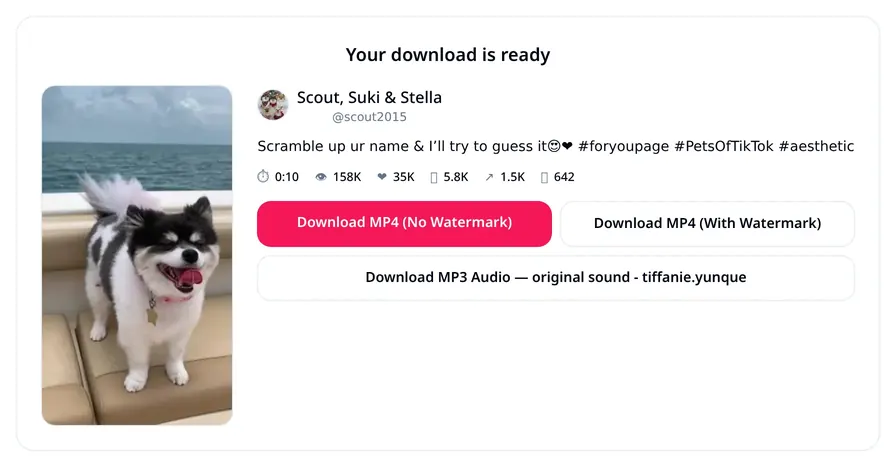
A real TikTok video downloaded on this site — no signup, no watermark. Paste your link, and get HD MP4, watermarked MP4, and MP3 audio in one click.


Why millions choose TokVido
Every TikTok download format in one place — videos, audio, photos, and slideshows.
| Video format | MP4 (compatible with all devices) |
|---|---|
| Audio format | High-quality MP3 |
| Output quality | Original / best available (up to 1080p) |
| Watermark | Optional — with or without |
| Download speed | Fast (edge-served) |
| Extra formats | Photos, slideshows → MP4, MP3 |
| Daily limit | Unlimited |
| Service cost | Free forever |
| Device support | Android · iOS · Windows · Mac · Linux |
| Security | Safe, private, no data stored |
Pros and cons
Pros
- Free forever, no registration
- No app or extension install
- Downloads with or without watermark
- MP3 audio extraction
- Photo & slideshow downloads
- Works on every modern device
- Safe, private, no tracking
- Unlimited daily downloads
Limitations
- Only supports public TikTok content
- Private-account videos can't be downloaded
- Deleted or region-restricted videos won't resolve
- Live streams are not supported
- Requires a valid TikTok video URL
Frequently asked questions
Is TokVido really free?+
Yes. TokVido is 100% free with no download limits, subscriptions, or hidden fees.
Do I need an account or app?+
No. It runs in any modern web browser — no signup, no install, no browser extension.
Will the video have a TikTok watermark?+
You choose. We offer both watermark-free and original (with watermark) downloads.
Can I download the audio only?+
Yes. Use the MP3 button to save just the audio track in high quality.
Can I download TikTok photo slideshows?+
Yes. Paste a slideshow link and TokVido lets you save each image and the original sound.
Does TokVido work on iPhone and Android?+
Yes. It works on iOS, Android, Windows, Mac, and Linux — any modern browser is enough.
How do I copy a TikTok video link?+
In the TikTok app, tap the Share button on the video, then tap Copy Link. Paste it into TokVido.
Is downloading TikTok videos legal?+
Downloading videos for personal, offline viewing is generally accepted. Always credit creators and never re-upload content you don't own.
Can I download videos from private accounts?+
No. Only public TikTok videos can be downloaded. Private, deleted, or region-restricted content cannot be resolved.
Does TokVido store my downloads?+
No. We never store your links, videos, or IP address. Files stream directly from TikTok to your device.
Is there a daily download limit?+
No. You can download as many TikTok videos, photos, and MP3s as you want, every day.
Why is a download failing?+
The video may have been deleted, made private, or geo-restricted. Refresh the page, double-check the link, or try another video.
Where are downloaded videos saved?+
They go to your browser's default Downloads folder. On iPhone, tap Files → Downloads to find them.
Can I use downloaded videos on YouTube or Instagram?+
Only if you're the original creator or have the creator's permission. Reusing someone else's video without permission may violate their rights.
Responsible use of downloaded content
Respect copyright
TikTok videos belong to their creators. Ask permission before reposting or reusing content.
Personal or educational use
Use downloads for offline viewing, research, or reference — not for monetized re-uploads.
Always give credit
If you share a clip elsewhere, credit the original creator by their TikTok @username.
Related tools
Other free TokVido downloaders.
From the blog
Guides, tips and troubleshooting.
- How to Download TikTok Videos Without Watermark (2026 Guide)The complete step-by-step guide to saving TikTok videos in HD without the TikTok watermark on iPhone, Android, and desktop — no app required.
- How to Download TikTok Videos on iPhone (No App)Save TikTok videos to your iPhone Camera Roll in HD without installing any app. Works on iOS 15, 16, 17, and 18.
- How to Download TikTok Videos on Android (Free, No App)The easiest way to save TikTok videos to Android in HD without watermark — using only your browser.
- How to Extract MP3 Audio from a TikTok VideoSave the sound from any TikTok video as an MP3 file — perfect for ringtones, remixes, and voice-over projects.
- TikTok Video Quality Explained: HD, SD, and Why Downloads Sometimes Look BlurryUnderstand why the same TikTok video looks sharp in the app but soft when downloaded — and how to always get the best available quality.
- Is It Legal to Download TikTok Videos? What Creators and Viewers Should KnowA plain-English look at the copyright, fair-use, and TikTok Terms of Service rules around downloading videos for personal or commercial use.